Registration
Expiry date, registrar, status codes and nameservers, read over RDAP rather than scraped from a webpage.
Watchtower inspects the websites and domains you own or depend on — registration, the full TLS chain, DNS, email authentication, Certificate Transparency, security headers, ports and health endpoints — then pages you when one of them stops working. Every check runs on your device. There is no Watchtower account, and no Watchtower server.
The browser build is discovery only: a browser has no platform resolver and no foreground service, so it runs on DNS-over-HTTPS and cannot keep checking once you close the tab. Monitors and pages are Android and iOS.
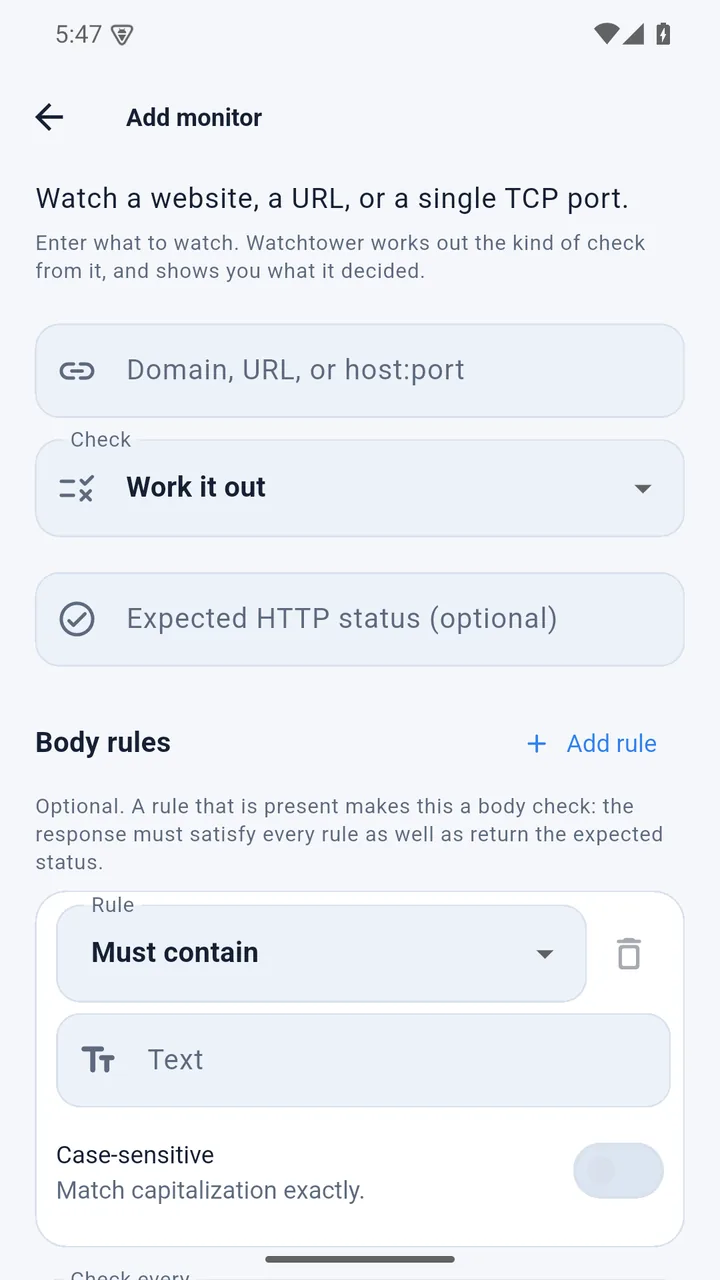
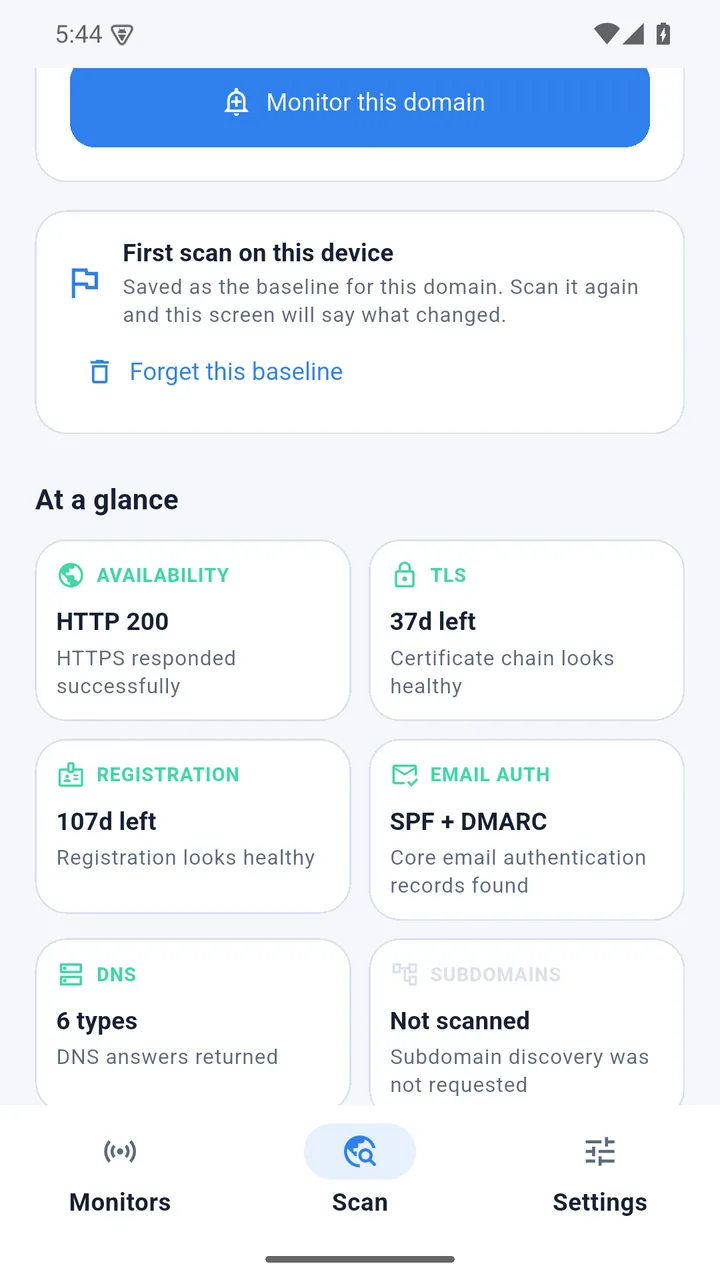
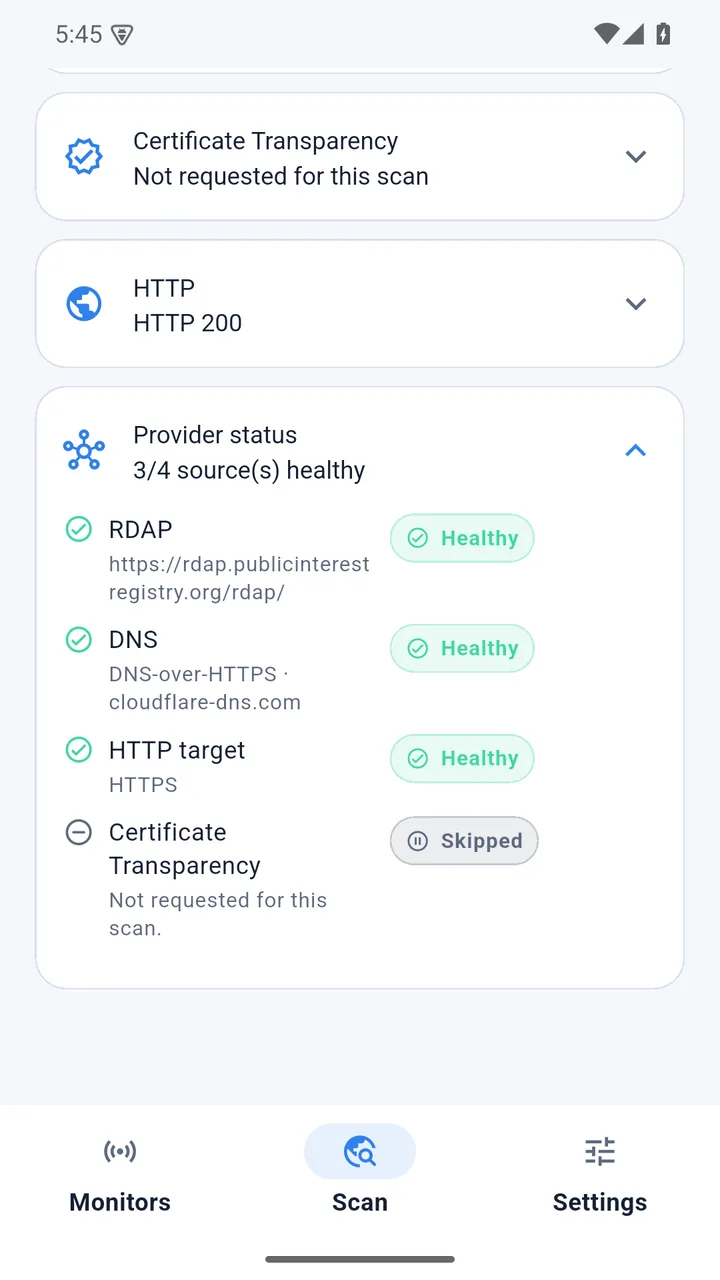
Enter a domain or subdomain. Watchtower runs every applicable probe in parallel and reports what it found — and which source answered, so a degraded check never passes for a healthy one.
Expiry date, registrar, status codes and nameservers, read over RDAP rather than scraped from a webpage.
Subject, issuer, expiry and validity window — plus every intermediate the server actually presents, and whether the platform considers the chain trusted.
Captured natively on Android and iOS. Most uptime tools stop at the leaf certificate.
A, AAAA, MX, NS,
TXT and CAA. On Android these come from the
device’s own resolver by default, so a scan is not disclosed to a
public DNS-over-HTTPS provider.
SPF, DMARC and CAA, summarised the way you actually read them: is SPF aligned, is DMARC enforced, is the policy too strict to survive.
Issuance history from two independent logs, and the subdomains they reveal — a quick map of what a domain exposes.
Status code, redirect chain and security headers, with a plain reading of what HSTS is actually set to.
A socket check against any host:port you choose, on a
cadence you set. Good for databases, game servers and anything that
does not speak HTTP.
Assert that a health endpoint returns 200 and still contains the string
you expect. ok=true means the service is really up, not
just reachable.
Every scan is compared with the previous one on this device, so a withdrawn DMARC record, a moved expiry date, a new certificate issuer or a dropped mail exchanger shows up as a change instead of having to be noticed by eye.
The comparison is local. There is nothing stored off-device to compare against.
Real screenshots from a release build. Every panel shows which source answered, when it was checked, and whether the result is still fresh.
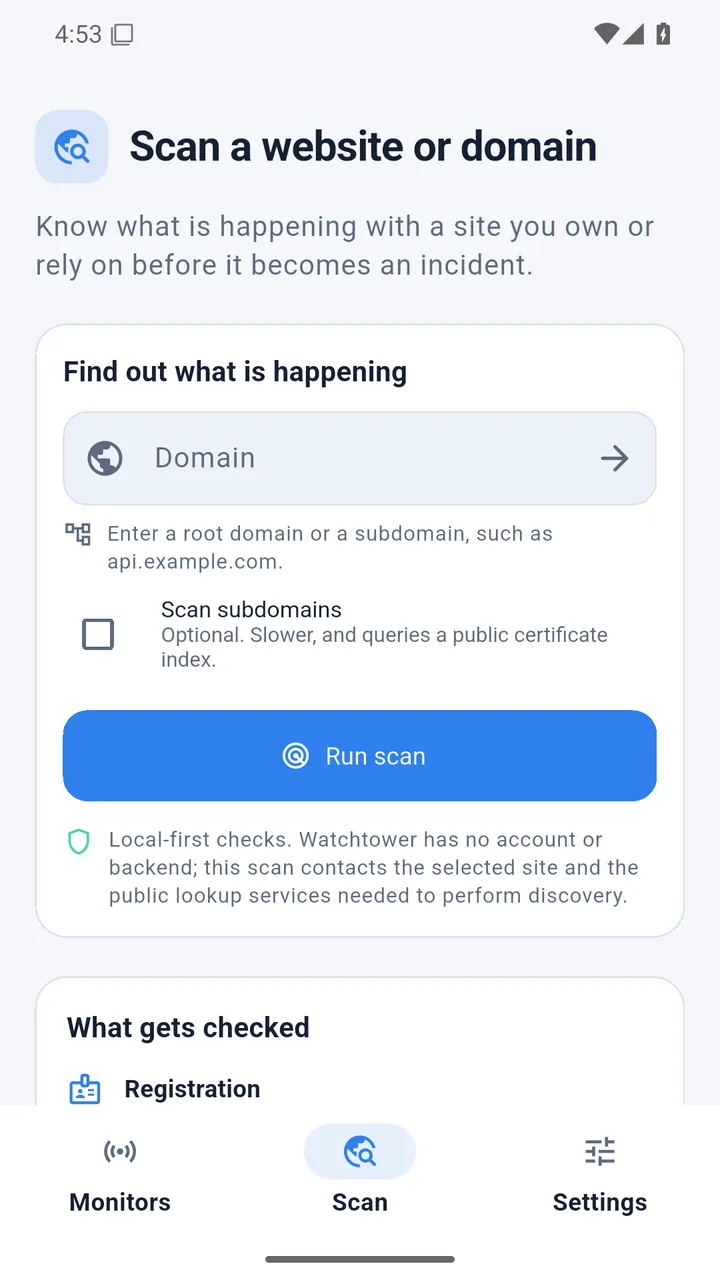
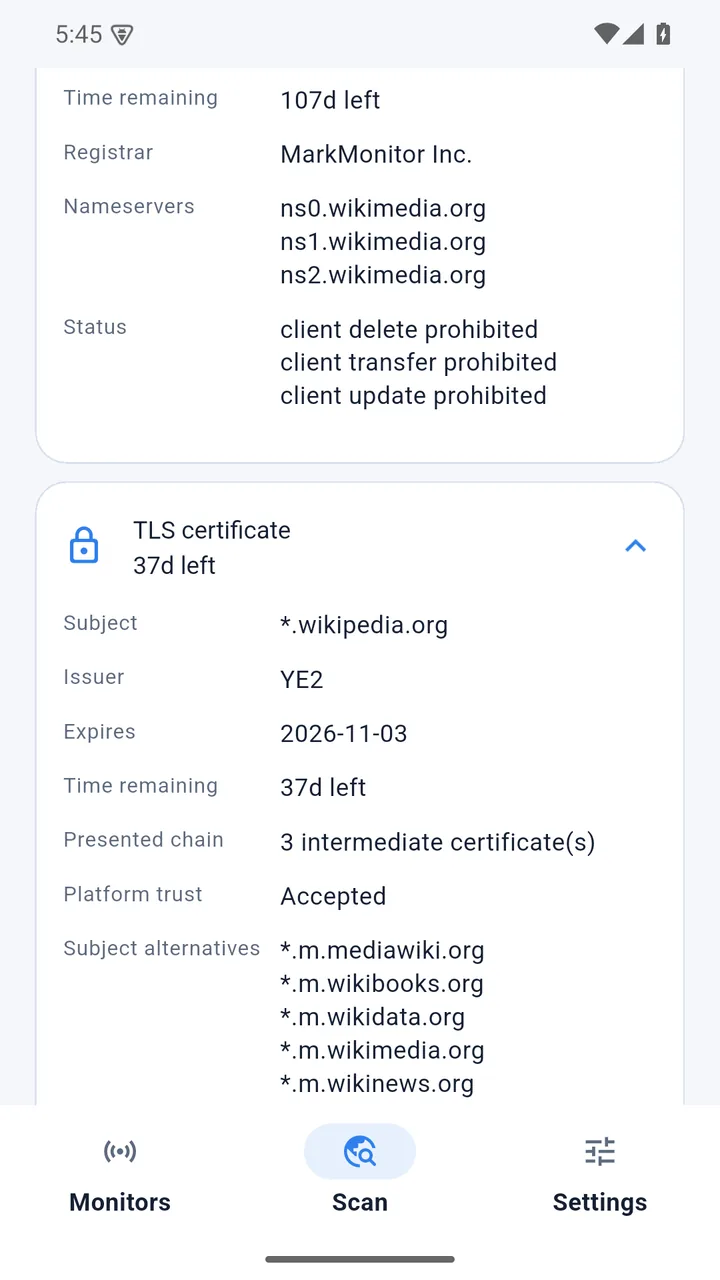
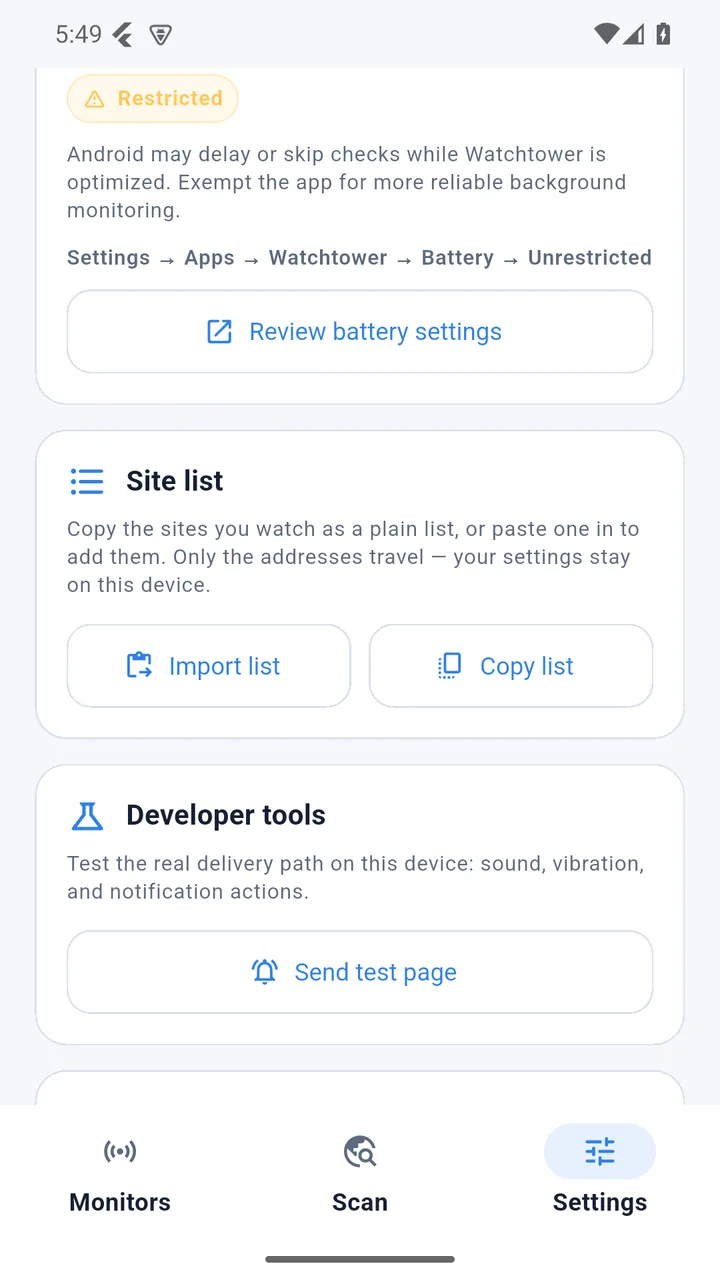
A notification you swipe away is not an alert. On Android a foreground service keeps checking with the app closed, and a failure keeps paging until you say you have seen it.
wikipedia.org                                  healthy

availability  HTTP 200            responded in 184 ms
tls           38d left           chain: 3 intermediates, trusted
registration  108d left          registrar: Wikimedia Foundation
email auth    SPF + DMARC        both aligned
dns           6 record types     A AAAA MX NS TXT CAA
subdomains    0 found            2 CT entries checked
http          HSTS 31536000      0 redirects

checked 2026-09-26 12:52
rdap ok  dns ok (device resolver)  ct ok  target ok
Because Watchtower operates no server, the developers cannot see your data even in principle. What that does not mean is spelled out below, because “private” is not worth much without the caveat.
Monitors, check history, settings and the last result per monitor are written to private app storage only. Deleting the app deletes all of it — there is no server-side copy, so there is nothing to request the deletion of.
A scan is not offline. To answer a question about your domain, Watchtower has to ask someone who already knows the answer — so the domain string you typed is sent to these public services, which each see your IP address, the query and the time:
Every one of these permissions has a stated reason, and none of them is marketing. The full privacy policy names each service, its operator and its own policy — read it before you monitor a domain whose existence needs to stay private.
Not for a fleet of nine hundred endpoints. For a personal site, a side project, a homelab, or the services you quietly depend on at work.
Catch the renewal you forgot and the certificate that quietly expired on the one domain that matters.
A TCP monitor per service, a body assertion per health endpoint, and a phone that tells you which one died while you were asleep.
A lightweight way for one operator to watch a small set of sites and services they own or depend on — without adding a vendor, a signup or a data processor.
A local-only app structurally cannot do some things that hosted uptime services do. Rather than ship a thinner version of those, here is the trade:
No. There is no signup, and no Watchtower server to sign in to. Your monitors and their results live in private storage on the device that created them. Uninstalling the app is the complete erasure path.
No, and claiming otherwise would be dishonest. The domain you type is sent to RDAP and to Certificate Transparency log operators, because they are the parties that hold the answer. On Android, DNS is resolved by the device’s own resolver by default, so Android scans are not disclosed to Cloudflare — though you can point Watchtower at a DNS-over-HTTPS endpoint if you prefer that, and iOS and web use one because they have no public API for arbitrary record types. The privacy policy names every service and its operator.
Because there is no other way to answer “when does this domain expire” or “what else is issued for this name” from a phone without shipping a copy of the registry and log data. The trade is: third parties see the domain you query, and in exchange you get those answers without a backend, a vendor account or a monthly bill.
Yes, as long as the phone can reach it. A TCP monitor opens a socket
to any host:port you choose, and an assertion monitor
issues an HTTP request to a URL and checks the response — both
work fine against a LAN address, as long as you are on the network
that serves it. Note that a phone off your home Wi-Fi will not reach
192.168.x.x.
Two things. First, the TLS full chain: Watchtower records the intermediates the server actually presents and reports the platform’s trust verdict, captured natively on Android and iOS. Second, the privacy shape: no account, no dashboard to log into, and nothing to hand a vendor. In exchange you give up history charts and webhooks — which is a real loss, and the previous section says so.
Neither is fully avoidable, so Watchtower is explicit about it. Checks are on a cadence you choose, with a per-monitor latency budget, and there is an optional battery-optimisation exemption. Android may still delay a cycle while the device is idle — so a result past its expected freshness is shown as stale, never as healthy.
F-Droid builds from source with no tracking, no proprietary services and no account, and its recipe for Watchtower is in the repository already. The project also ships reproducible-build tooling, so two clean builds of the same commit produce the same APK. Play remains the most convenient option for most people, and both are being worked on.
Nothing. Watchtower is free software under the GNU General Public License, version 3 or later. You can read, modify and redistribute it; if you distribute a modified version, you pass on the same freedom.
1.0.0 is cut and the store metadata is written, but neither submission has gone through review. The issue tracker is the honest place to watch progress — and the place to ask for a channel you would rather have.
Read the code, follow the commit history, or open an issue.
Recipe, tag and screenshots are in the repository; the submission is not filed yet.
Listing copy, privacy URL and screenshots are written and waiting on upload.
Discovery and expiry reminders work today; real-time paging is not promised.
Watch the submission progress on the issue tracker, or ask to be told when a channel goes live. The source is public either way, and you can build the APK yourself today.